iPhone · iPad · Android

Make beats in seconds. Play every chord in key.

Lumipad: Beats, DJ Pad & Piano (Previously Chordlet)

Lumipad: Beats, DJ Pad & Piano puts 24 glowing neon pads, 7 smart chord keys, a step editor, and a multi-track song studio in your pocket. No music theory needed.

  • Free to download
  • One purchase, no subscription
  • Zero ads or tracking
  • Works 100% offline
New in Lumipad 3.0 for iPhone and iPad

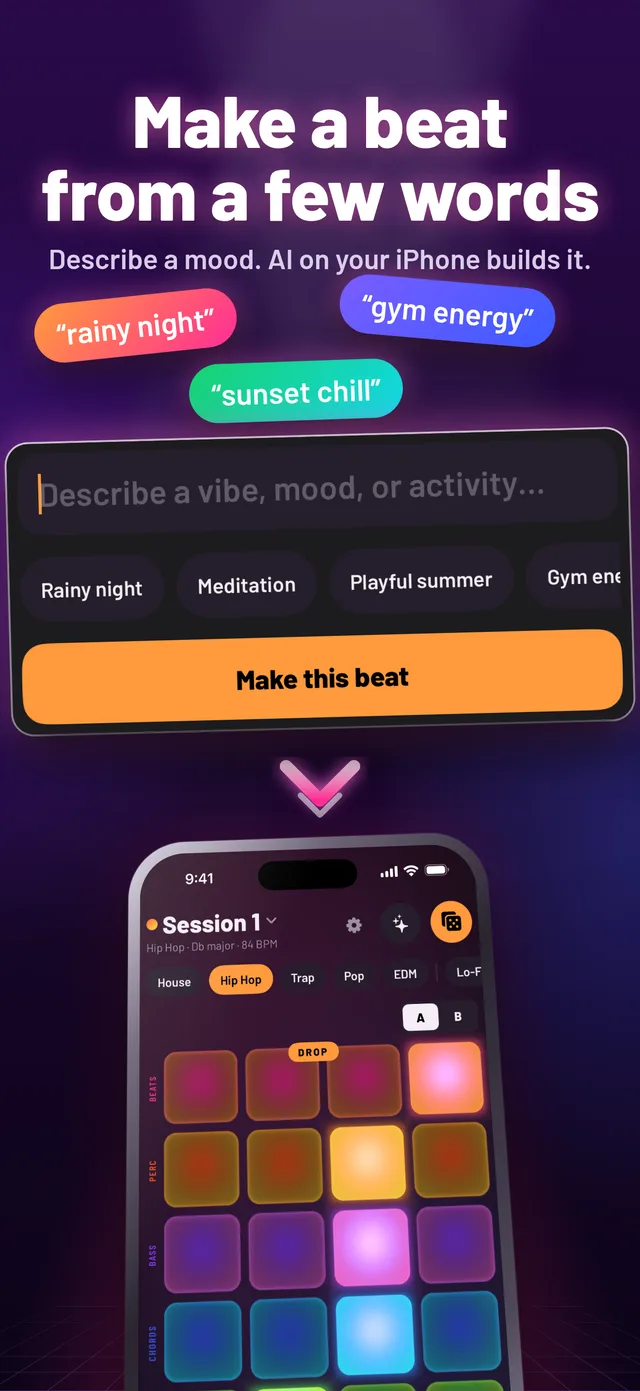
Make a beat from a few words. Then play it.

Type a mood like “rainy night” or “gym energy” and Lumipad builds a beat in the right style, key and tempo, on your device. On iPhone and iPad models with Apple Intelligence it uses the on-device model; on other devices, Lumipad’s own built-in word list. Then the music is yours to play.

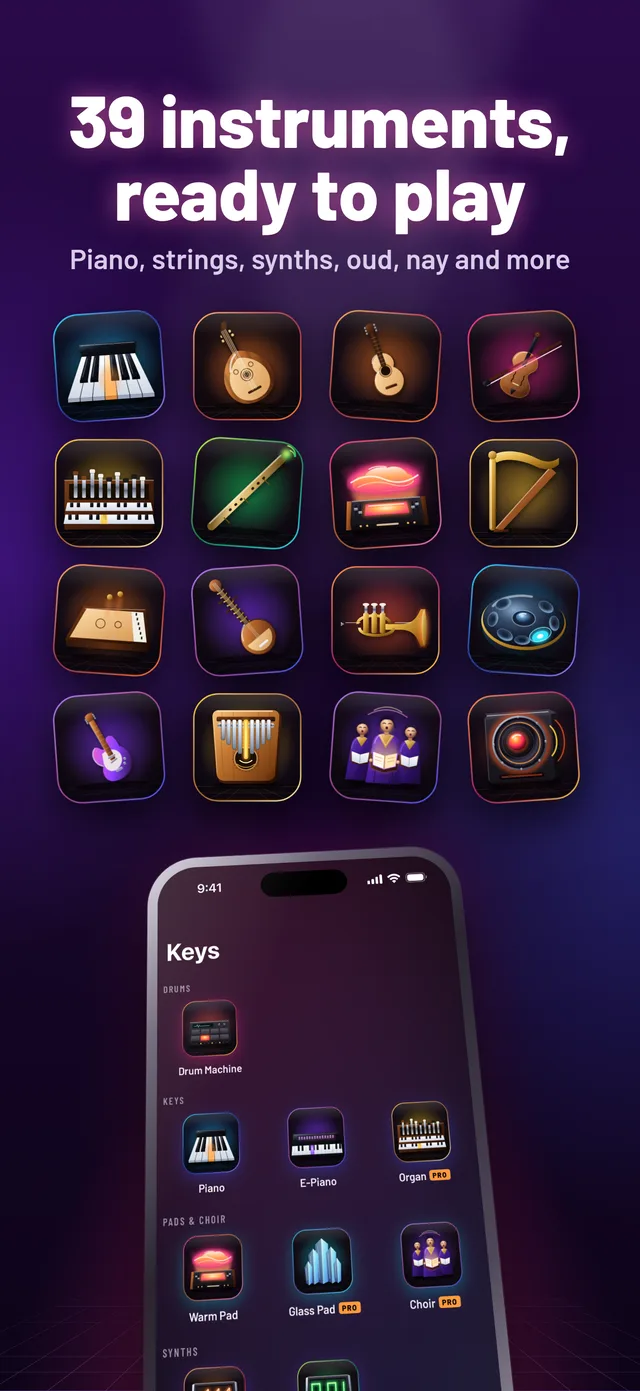
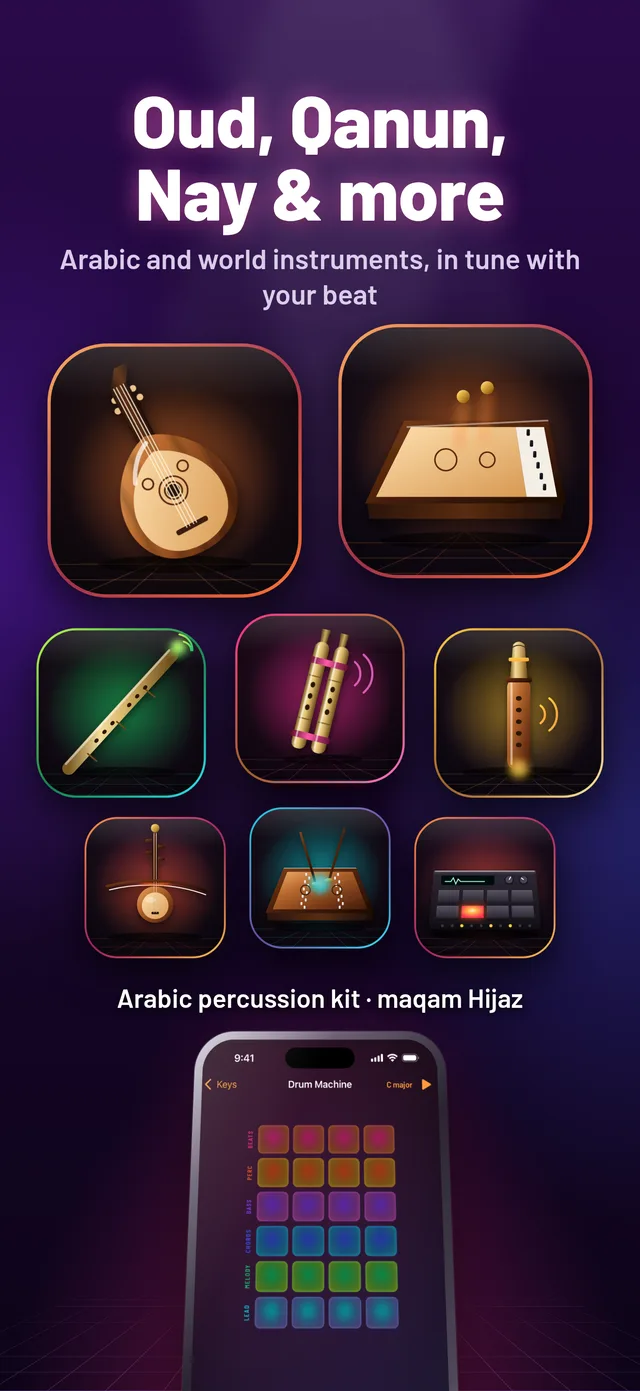
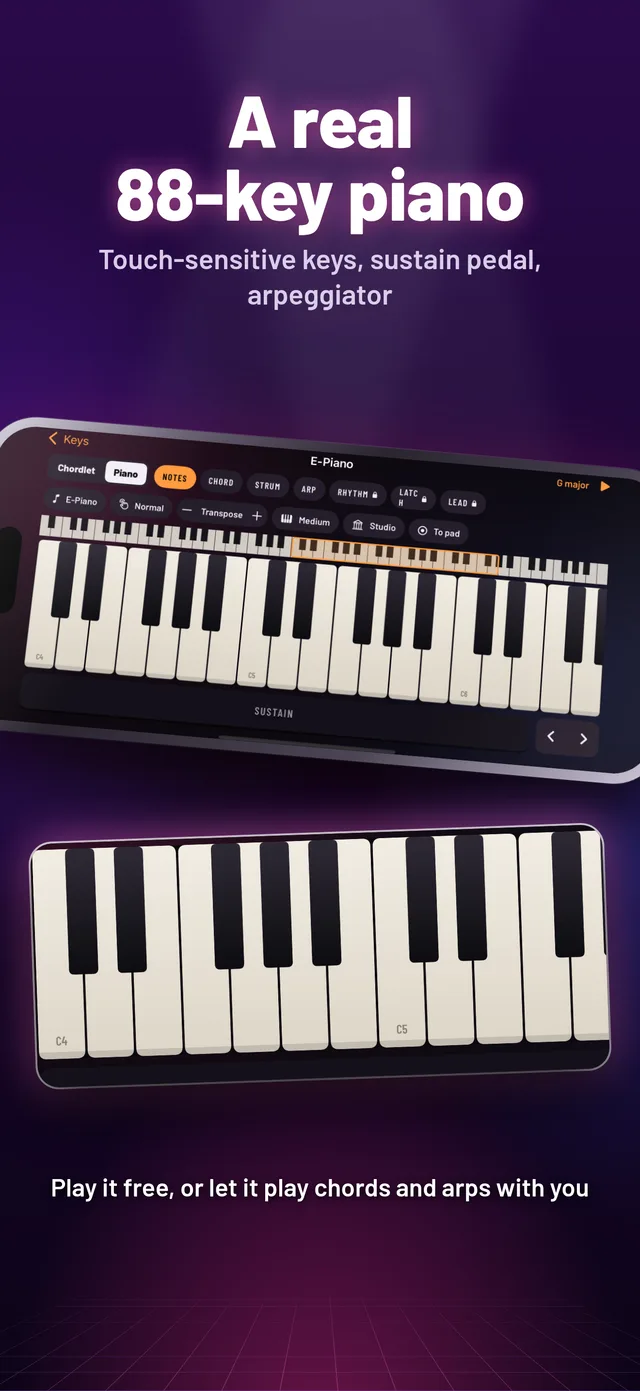
Typing a mood in Describe a beat and getting a beat on the pads The 39 instruments in Lumipad's Keys tab Oud, qanun, nay and other Arabic and world instruments The full 88-key piano
  • 39 instruments, each its own Chordlet: piano, strings, choir, synths, guitars, basses, bells and more
  • Arabic and world instruments: oud, qanun, santur, nay, mijwiz, duduk, kamanja, sitar, koto, kalimba, handpan and steel pan, plus maqam Hijaz
  • A full 88-key piano with touch, sustain pedal and an arpeggiator that follows the beat
  • Eight loops in every lane, in banks A and B
  • Studio: tap any bar to add a part, and record your voice over the song
  • New styles Ambient, Chillwave and Cinematic, and new looks Aurora and Dusk
Built to jam & finish tracks

Four neon instruments in one pocket studio

Start with a single tap on the pads, play lush chords on seven keys, tweak every step, and arrange your full track bar by bar.

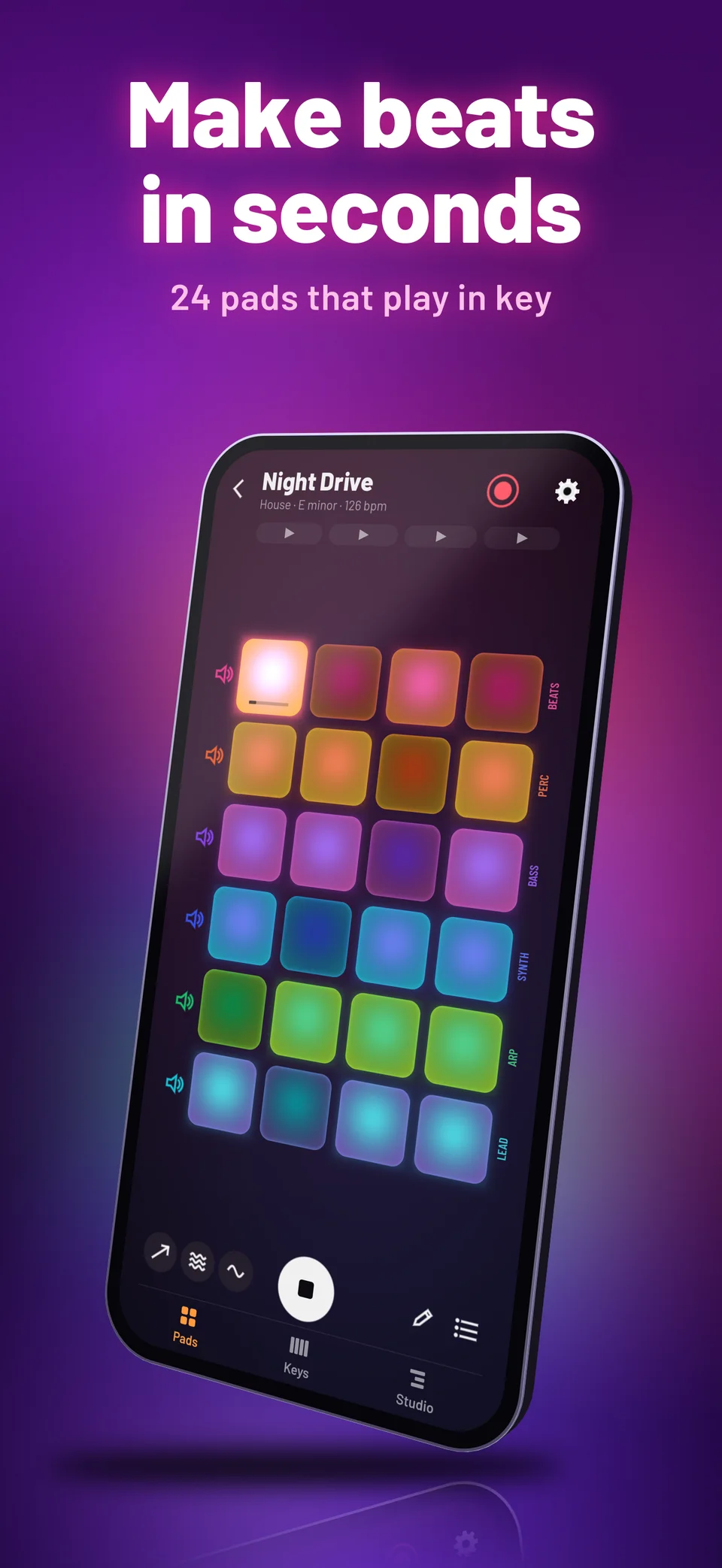
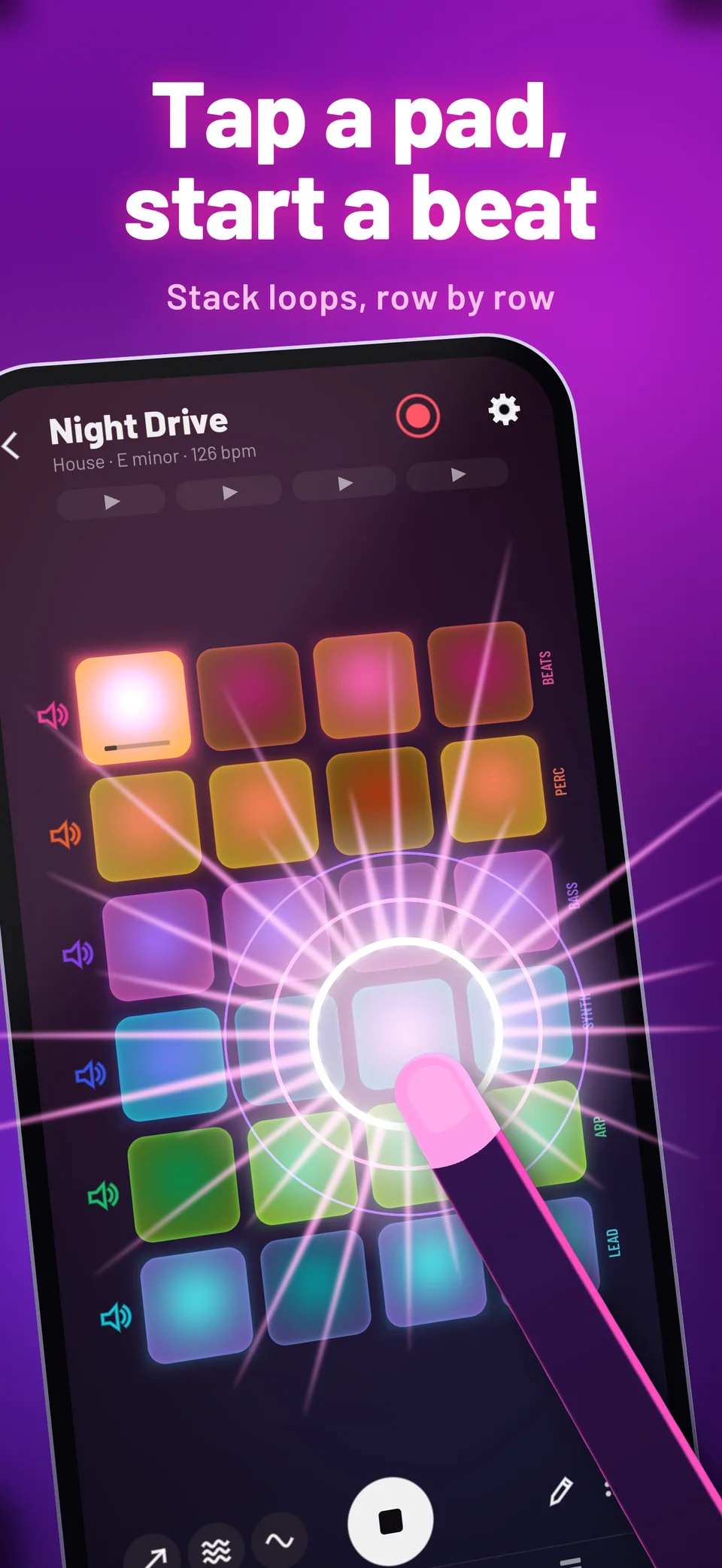
Tapping a glowing neon pad in Lumipad to stack loops row by row
Glowing Neon Pads

Tap a pad, start a beat

Launch 24 color-coded pads across Beats, Perc, Bass, Synth, Arp, and Lead. Every loop locks to your key and tempo so your mix always sounds tight.

  • Stack and swap loops row by row in real time
  • Shape the vibe live with DJ filters, echo, and build-ups
  • Record live pad jams straight into your song
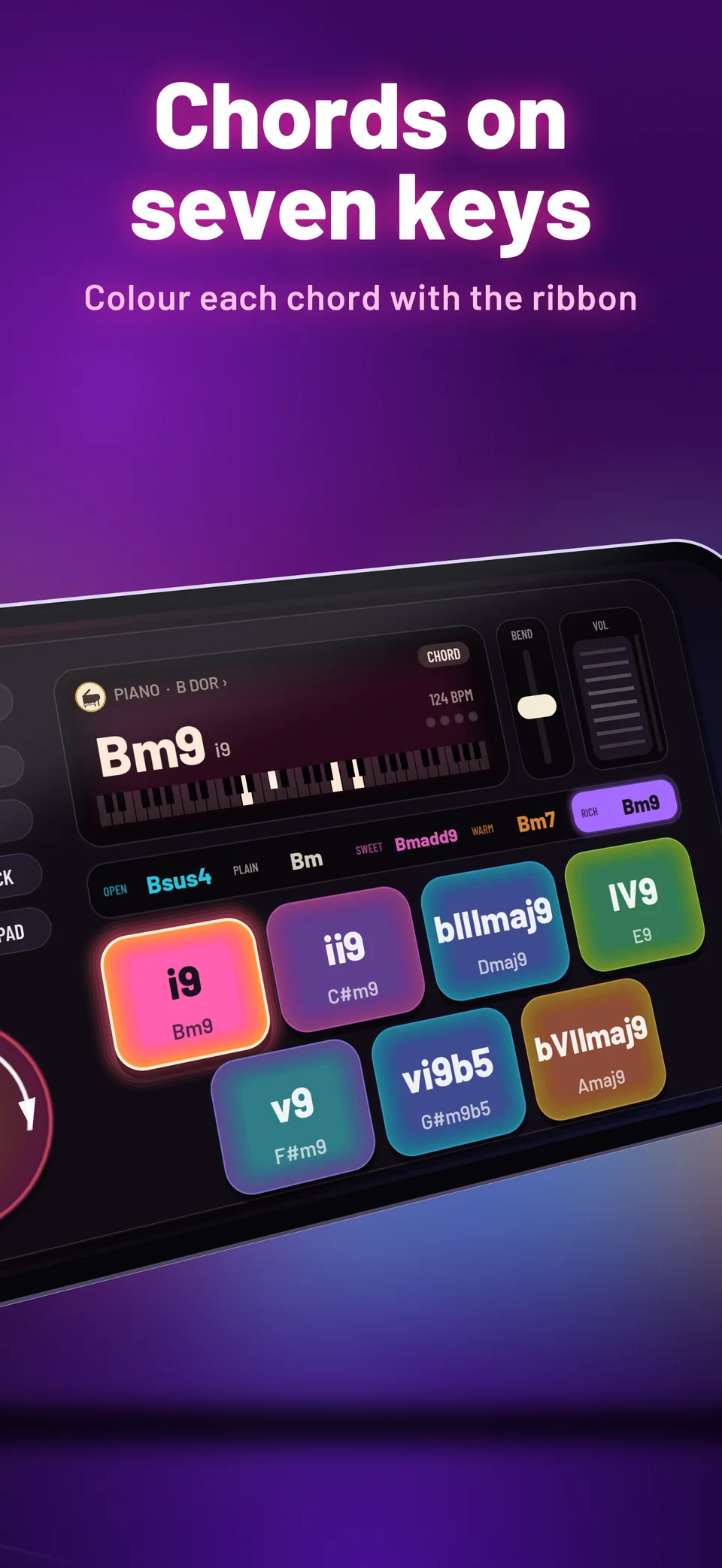
Seven glowing chord keys in B Dorian with the chord color ribbon
7 Chord Keys

Every chord in your key, under seven keys

Play full progressions across 12 keys and 9 scales without memorizing theory. Glide across the color ribbon to turn plain chords into warm 7ths, rich 9ths, and open sus voicings.

  • HOLD and STACK chords for wide, expressive harmonies
  • Bend pitch smoothly with the touch BEND strip
  • Follow 13 classic chord progressions that light up the keys
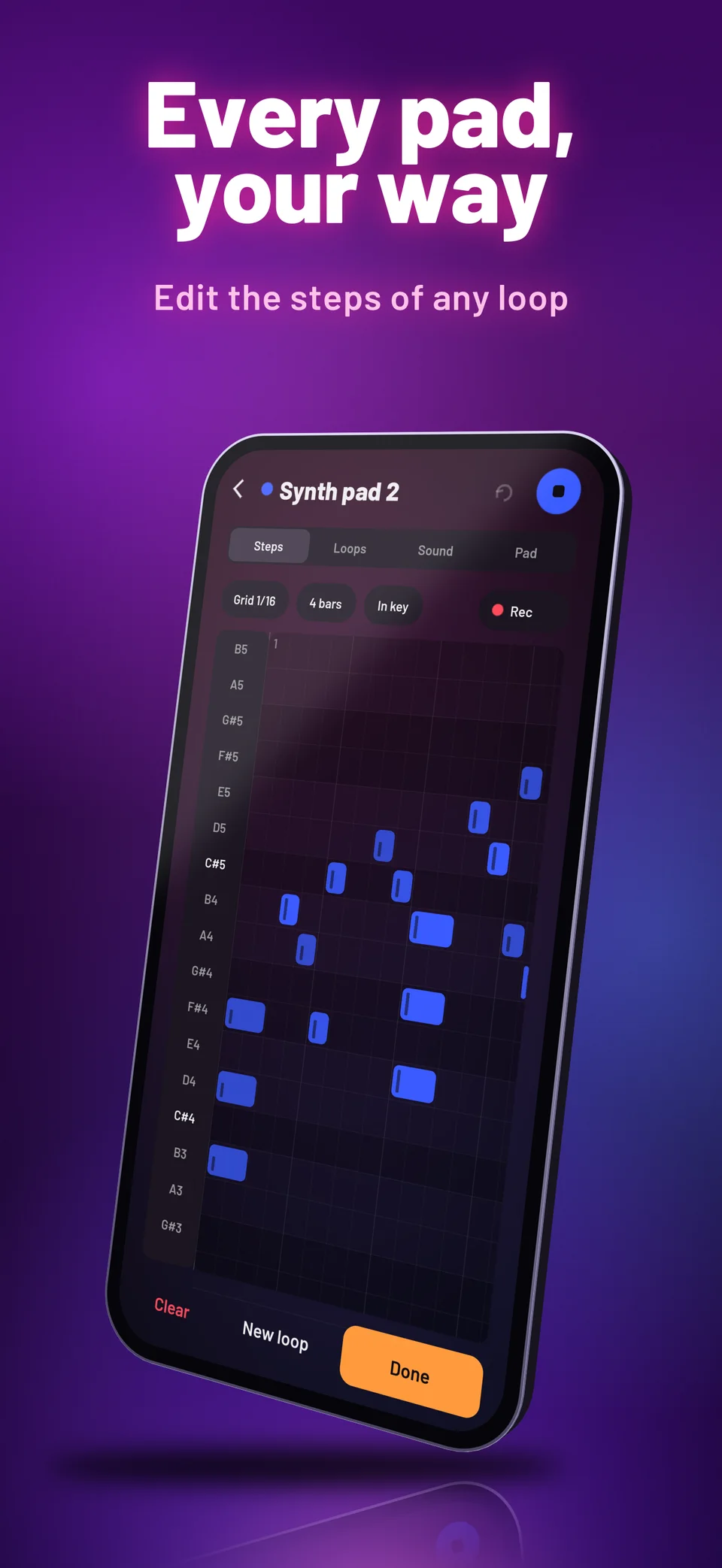
Lumipad Step Editor showing an in-key 1/16 note grid for Synth pad 2
Step Editor

Every pad, your way

Open any pad to customize its pattern on a clean 1/16 step grid. Only the notes in your key appear, so every tap lands in harmony.

  • Draw, edit, or live-record 1 to 4 bar loops
  • Swap instruments and sculpt each pad's sound
  • Create brand-new loops from scratch in seconds
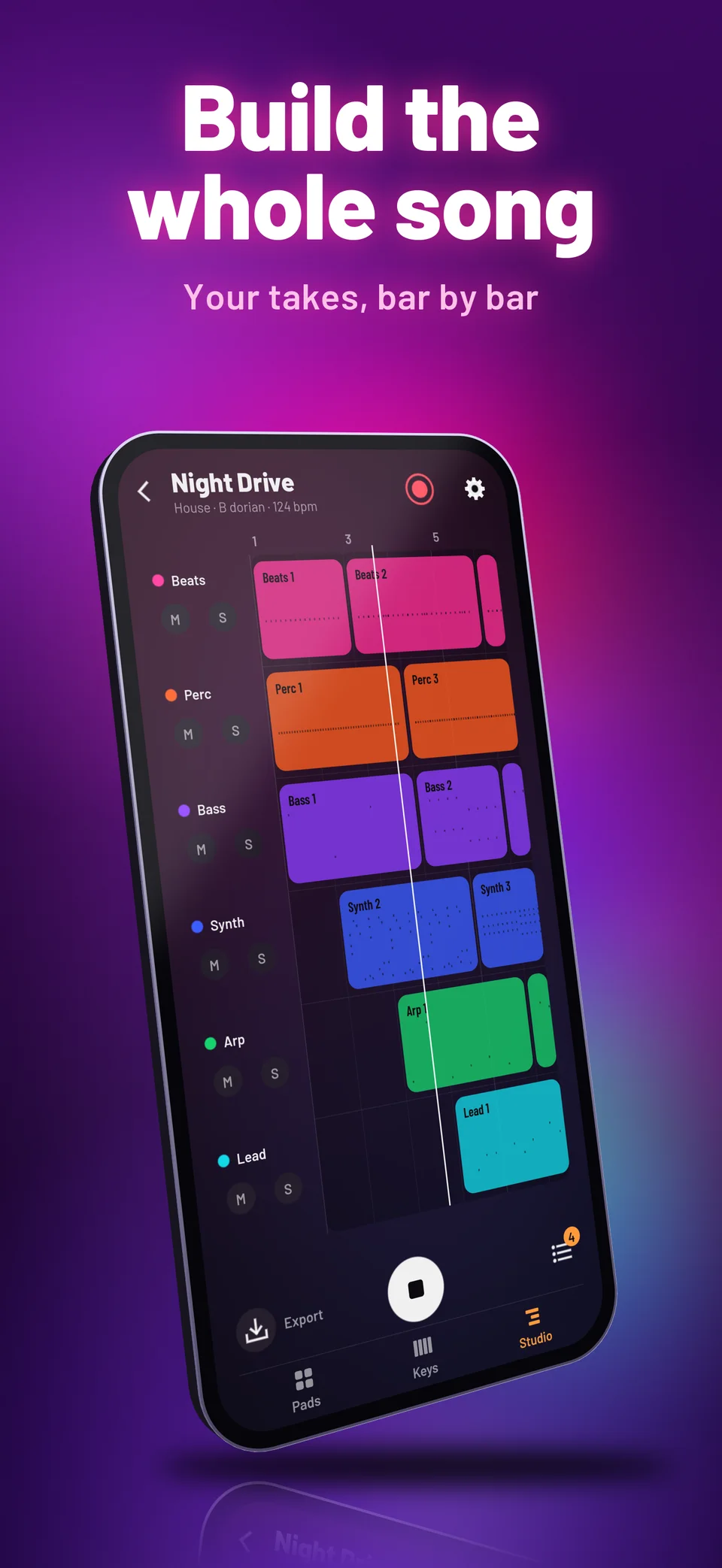
Lumipad Song Studio multi-track view with Mute, Solo, and Export controls
Song Studio

Build the whole song, bar by bar

Lay out your beats, basslines, synths, and leads on a full multi-track timeline. Mute and solo lanes, build sections, and export your finished track.

  • Arrange takes and sections across dedicated color-coded tracks
  • Export clean WAV audio, plus MIDI files with Pro
  • Everything stays saved locally on your device

Zero wrong notes

Pads, chord keys, and the step grid lock to your chosen key and scale automatically.

One purchase forever

Try free, then unlock Pro once. No monthly subscription, no paywalls per beat pack.

100% offline & private

No account, no ads, and no tracking. Make music on a flight, on the train, anywhere.

Export WAV & MIDI

Save finished tracks as WAV audio right to your device, or export MIDI with Pro.

Honest pricing

Free to start. One unlock forever.

Download Lumipad free on iOS and Android. When you want the full studio, one single Pro purchase unlocks everything for good.

No subscription No ads No account Restore anytime

What Lumipad Pro unlocks

  • Every genre style, sound pack, drum kit, and beat
  • All 13 guided chord progressions and full sound shaping
  • MIDI export alongside studio WAV audio export
  • Built-in chromatic tuner and unlimited sessions
Questions

Frequently asked questions

Do I need to know music theory to use Lumipad?

Not at all. Every pad, chord key, and step editor lane locks to your chosen key and scale, so everything you tap fits together musically from your very first beat.

Is there a subscription or are there ads?

No. Lumipad has zero ads and zero subscriptions. It is free to download, with a single optional one-time Pro purchase handled securely through the App Store or Google Play.

Does Lumipad work offline?

Yes. Every sound, pad pack, chord key, step editor, and studio feature works completely offline with no sign-up or internet connection required.

Can I export my beats and songs?

Yes. You can export your music as WAV audio directly to your device (the Files app on iPhone/iPad or your Music folder on Android), and export MIDI files with Lumipad Pro.

Is Lumipad the same app as Chordlet?

Yes. Lumipad: Beats, DJ Pad & Piano (formerly Chordlet) is made by Quietkit under the same app listing and package. If you previously unlocked Pro, simply tap Restore Purchases in the app.

Does Lumipad collect my personal data?

No. Lumipad collects no personal data, uses no analytics or tracking, and keeps all projects on your device. Read our Privacy Policy for full details.

Ready to light up the pads?

Download Lumipad free on iPhone, iPad, or Android and build your first track in under a minute.